Opinion
Classroom Technology Opinion

What Could Go Wrong?

By Doug Noon — December 22, 2006 2 min read
  • Save to favorites
  • Print

For most people, “Whatever can go wrong will go wrong,” is Murphy’s Law. For me, it’s Murphy’s Lab, since that’s usually what happens when I first take a group of elementary students into the computer lab.

From the moment their fingers touch the keyboards, glitches—both technical and human—erupt like landmines all around me. Some kids forget their passwords. Others can’t spell the URLs needed to access Web pages. A few can’t remember where files are saved, and even after they’re found, they can’t be opened. I run around doing triage like an ER nurse as students call my name repeatedly, wave their arms for help, or goof off.

At least, that’s the way it used to be. After years of trial and error, I’ve hit on a few strategies to help save both my sanity and my lessons:

BRIC ARCHIVE

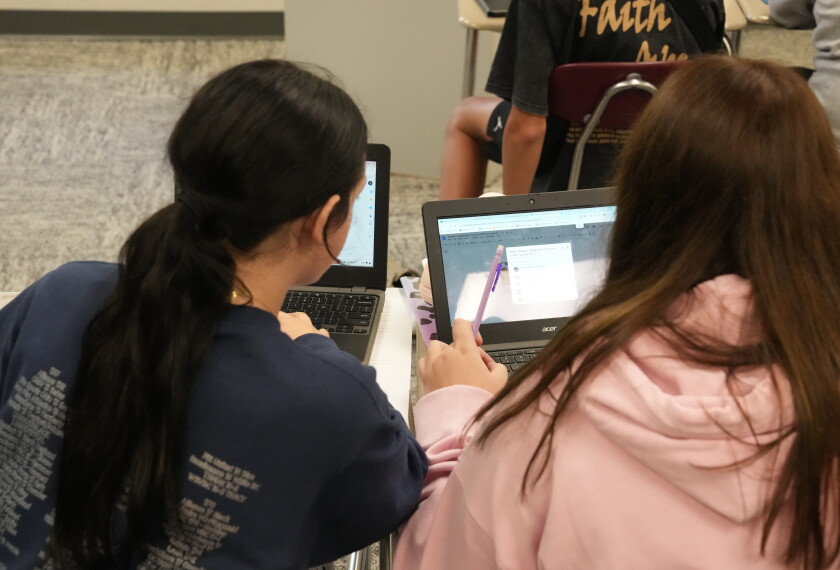
1. Pair more proficient computer users with novices. I’m only one person, but I’ve found I can leverage the expertise in the room by matching neophytes with lab partners who can answer rudimentary questions when I’m busy helping elsewhere.

2. Short-circuit spelling problems. Computers are unforgiving in their demands for specificity. Type one wrong letter, and a student’s access is denied, or her Web search comes up blank. When students are first learning their usernames and passwords, I hand out Popsicle sticks with that information written on them. The sticks are more durable than scraps of paper, and easier to keep track of when I collect them at the end of each class period. To help students speedily get to key Web sites, I set up links pages so that misspelled URLs don’t slow them down. Web services such as Wikispaces offer free, user-friendly Web sites for teachers: www.wikispaces.com/site/for/teachers

3. Save—in the right place. I don’t wait until the end of the class period to announce that students should save their files because that always results in lost work. I teach them to log onto the server when they first sit down in the lab, so that each new document they create gets properly saved before they work on it. During the period, I check to make sure they’ve done that.

4. Keep it simple. When students are starting written assignments, they can avoid complications caused by incompatible software if they use a basic text editor instead of a word processor for their rough drafts. TextEdit in Apple’s Mac OS X, and Notepad in Microsoft’s Windows are suitable for creating basic documents that are portable across platforms and easy to open. After students finish drafting, they can copy and paste their text files into a word processor or blog for final publication.

When I have these procedures in place, things in the lab often go smoothly enough to lull me into thinking I’ve got it all under control. But then I hear my name called in that distinctive tone of a helpless pupil sitting before a frozen computer. It’s then I’m reminded for the umpteenth time that no matter how much progress I’ve made in adapting the computers and students to each other, no list of strategies will ever be long enough to keep Murphy from paying us an occasional visit.

Related Tags:

A version of this article appeared in the January 01, 2007 edition of Teacher Magazine as What Could Go Wrong?

Events

Jobs Regional K-12 Virtual Career Fair: DMV
Find teaching jobs and K-12 education jubs at the EdWeek Top School Jobs virtual career fair.
This content is provided by our sponsor. It is not written by and does not necessarily reflect the views of Education Week's editorial staff.
Sponsor
School Climate & Safety Webinar
Cardiac Emergency Response Plans: What Schools Need Now
Sudden cardiac arrest can happen at school. Learn why CERPs matter, what’srequired, and how districts can prepare to save lives.
Content provided by American Heart Association
Teaching Profession Webinar Effective Strategies to Lift and Sustain Teacher Morale: Lessons from Texas
Learn about the state of teacher morale in Texas and strategies that could lift educators' satisfaction there and around the country.

EdWeek Top School Jobs

Teacher Jobs
Search over ten thousand teaching jobs nationwide — elementary, middle, high school and more.
View Jobs
Principal Jobs
Find hundreds of jobs for principals, assistant principals, and other school leadership roles.
View Jobs
Administrator Jobs
Over a thousand district-level jobs: superintendents, directors, more.
View Jobs
Support Staff Jobs
Search thousands of jobs, from paraprofessionals to counselors and more.
View Jobs

Read Next

Classroom Technology This School District Wants Students to Turn Off Their Phones and Sleep
Parents and students are learning about the importance of device-free bedrooms.
6 min read
Image of a student using their phone in bed at night.
Getty
Classroom Technology Opinion What If Ed Tech Does More Harm Than Good?
An influential new book delves into the research on how ed tech affects learning.
10 min read
The United States Capitol building as a bookcase filled with red, white, and blue policy books in a Washington DC landscape.
Luca D'Urbino for Education Week
Classroom Technology Do Student Cellphone Bans Improve Academic Achievement?
Researchers recommend continued examination of cellphone policies, which are still relatively new.
4 min read
Students at Washington Junior High School use the unlocking mechanism to open the bags their cell phone were sealed in during the school day as they leave school for the day on Oct. 27, 2022, in Washington, Pa. Citing mental health, behavior and engagement as the impetus, many educators are updating cellphone policies, with a number turning to magnetically sealing pouches.
Students at Washington Junior High School use the unlocking mechanism to open the bags their cellphones were sealed in during the school day as they leave school on Oct. 27, 2022, in Washington, Pa. A new study suggests that cellphone restrictions in school don't seem to boost student achievement or attendance.
Keith Srakocic/AP
Classroom Technology From Our Research Center What Happens When Schools Restrict Cellphone Use
New survey sheds light on how cellphone restrictions are improving student behavior and engagement.
5 min read
A student takes notes on their cell phone during class at Bel Air High School in Bel Air, Md., on Jan. 25, 2024.
A student takes notes on a cellphone during class at a high school in Bel Air, Md., on Jan. 25, 2024. The vast majority of educators say their school districts now have policies that restrict cellphone use during school hours.
Jaclyn Borowski/Education Week
