Special Report
Classroom Technology

Eighth Graders Use Web App to Identify Their Character Strengths

By Alexa J. Henry — October 18, 2016 2 min read
  • Save to favorites
  • Print

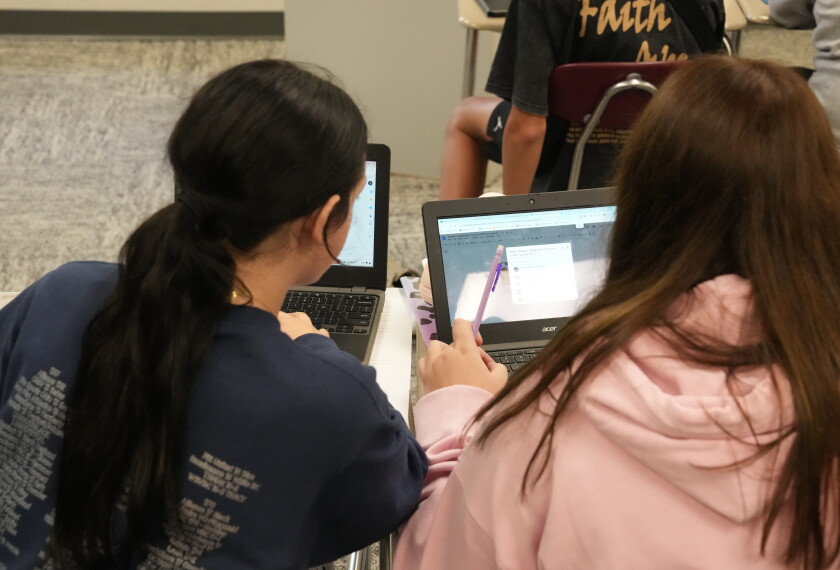
Allison Miller, a 13-year-old at Deer Park Junior/Senior High School logged on to the Happify platform to get what school officials hope will be a revealing picture of her character strengths.

What it showed: a strong capacity for creativity, humor, humility, forgiveness, and gratitude.

Allison was just one of the students at the Cincinnati school using the web platform, which uses a survey and generates five core character strengths from a list of 24 character traits. In a number of cases, students said it confirmed some of their own impressions of themselves.

"[Happify] explains the strengths and you could say, ‘Yes, that’s me,’ ” she said.

Austin Moore, an 8th-grader like Allison, also got insights into his core character strengths through Happify. They included creativity, hope, humility, forgiveness and gratitude. “I knew these were my core strengths before the survey,” he said. “I definitely thought they were for me.”

The 13-year-olds noted that Happify helps them approach their classes with a more positive, hopeful attitude; in particular, it provides positive words students can then use to express themselves. For example, during a game called Uplift, students view positive and negative words written across hot air balloons. The objective of the game is to click only on the positive words, such as “secure,” “joy,” “radiant,” “unity,” “serenity,” and “boost.”

“You get points when you click on the positive words,” explained Austin. “Each time you play a game, the bar fills up with more points.”

The students say they enjoy using Happify and don’t find it difficult to navigate. “I think it’s easy to use and it’s fun because some of the games are stress relievers,” said Allison. “You have to pick out which ones you’re stressing about, and it helps you to get rid of the stress.”

She compared the Happify game Negative Knockout with the popular app Angry Birds.

The students also agreed that the tool helps them tackle more challenging subjects, such as language arts. “When I go into class, I can use things from Happify, all the different words and positivity,” Allison said. “Instead, I might end up liking what we’re doing.”

Austin said that some of the positive words such as “hopefulness” help him approach tougher school assignments with a better outlook. “It helps me get through it, and I want to try to do my best at it,” he said.

Each activity also includes information explaining the science behind the particular activity, Austin pointed out. “It teaches you different things about the website, why this is helping, why it’s in there, and what it does,” he said.

Coverage of the implementation of college- and career-ready standards and the use of personalized learning is supported in part by a grant from the Bill & Melinda Gates Foundation. Education Week retains sole editorial control over the content of this coverage.
A version of this article appeared in the October 19, 2016 edition of Education Week as Middle School Students Test Out Happify

Events

This content is provided by our sponsor. It is not written by and does not necessarily reflect the views of Education Week's editorial staff.
Sponsor
Reading & Literacy Webinar
Unlocking Success for Struggling Adolescent Readers
The Science of Reading transformed K-3 literacy. Now it's time to extend that focus to students in grades 6 through 12.
Content provided by STARI
Jobs Regional K-12 Virtual Career Fair: DMV
Find teaching jobs and K-12 education jubs at the EdWeek Top School Jobs virtual career fair.
This content is provided by our sponsor. It is not written by and does not necessarily reflect the views of Education Week's editorial staff.
Sponsor
College & Workforce Readiness Webinar
CTE for All: How One School Board Builds Future-Ready Students
Discover how CPSB uses partnerships and high-quality digital resources to build equitable, future-ready CTE pathways for every student.
Content provided by Cengage School

EdWeek Top School Jobs

Teacher Jobs
Search over ten thousand teaching jobs nationwide — elementary, middle, high school and more.
View Jobs
Principal Jobs
Find hundreds of jobs for principals, assistant principals, and other school leadership roles.
View Jobs
Administrator Jobs
Over a thousand district-level jobs: superintendents, directors, more.
View Jobs
Support Staff Jobs
Search thousands of jobs, from paraprofessionals to counselors and more.
View Jobs

Read Next

Classroom Technology Students Can Hear Questions Aloud When They Take Many Tests. Does It Help?
Text-to-speech tech helps some students answer questions correctly, but hurts others' performance.
2 min read
Young student in a school computer lab concentrates on a laptop while wearing pink headphones; classmates work nearby in a bright, collaborative learning environment focused on technology and study.
Vanessa Solis/Education Week + Getty Images
Classroom Technology Screen Time Dos and Don'ts: A Downloadable Guide to Healthier Tech Habits
This guide outlines how schools and educators can build heathier student screen habits.
1 min read
Collage of digital devices with an overlay of a clock.
Liz Yap/Education Week via Canva
Classroom Technology How to Lessen Screen Time in Schools—and Make It More Effective
Districts have tried monitoring software, tech-free days, and parent education to curb screen time.
7 min read
Open laptops, or tablets for younger students, are a common sight during class time post-Covid, as in this 6th grade class period during a "What I Need" period at Cedar Park Middle School in Beaverton, Ore., on April 3, 2026. Cedar Park is experimenting with storing Chromebooks on a classroom cart, instead of assigning them directly to each student, to try to reduce the amount of time students spend on screens during instructional time.
Sixth-graders work on laptops during a class at Cedar Park Middle School in Beaverton, Ore., on April 3, 2026. The school is experimenting with storing Chromebooks on a classroom cart, rather than assigning them directly to each student, to try to reduce the amount of time students spend on screens. Teachers and parents say the pilot program is working.
Mark Graves/The Oregonian via TNS
Classroom Technology What Educators Really Think About the Overuse of Tech in Schools
Teachers and administrators express strong opinions about the downsides of tech use in school.
1 min read
EdWeek What Educators Say - Drawbacks
Taylor Callery for Education Week
